


In the article
Last Updated on 25/06/2025 by Tony Abrahams
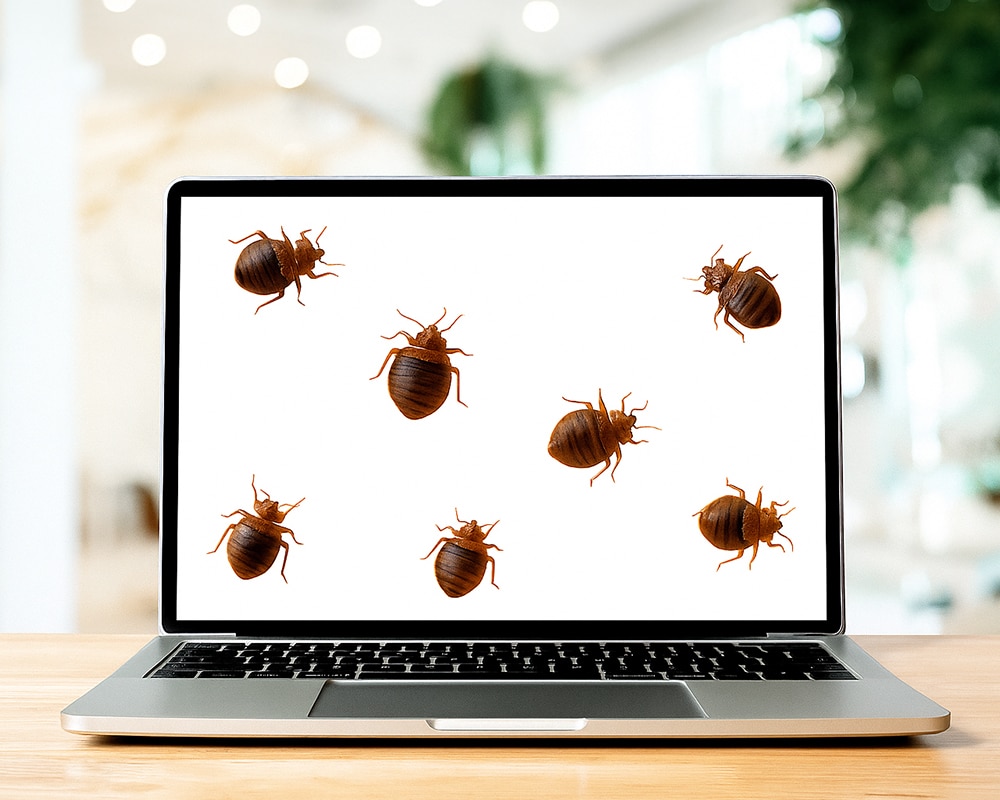
Yes, bed bugs can live inside computers. It sounds bizarre — like something from a low-budget horror film — but it’s surprisingly common, especially in homes already dealing with an infestation.
These tiny pests don’t just haunt your mattress; bed bugs in computers are becoming more common, as they’ll crawl into anything warm, dark, and rarely disturbed — which, unfortunately, describes most electronic devices sitting quietly on your desk or bedside table.
Why Would Bed Bugs Hide in Computers?
To understand this, you need to know how bed bugs operate. They don’t build nests like ants or termites. Instead, they hide near where their next blood meal will come from — usually you. And they’re incredibly adaptable.
Why they love your electronics:
- Warmth: Bed bugs are thermotropic — they’re attracted to heat. A running laptop is like a cozy heater.
- Tight crevices: Their flat bodies allow them to slip into vents, ports, and between panels.
- Stillness: Devices that stay in one place for long periods make ideal hiding spots.
In other words, if your laptop lives beside your bed, you’ve unintentionally given bed bugs the perfect penthouse suite.
Did you know?
Bed bugs can survive for months without feeding. So even if your device sits unused for a while, they can still be alive in there, just waiting for your return.
How Do Bed Bugs Get Into Computers?
Bed Bugs Can Live In Computers
Here’s how bed bugs end up in your electronics:
- Second-hand electronics
Buying used computers, monitors, or even TVs without a careful inspection can introduce bugs. They’re often hiding in unseen corners — inside screw holes, ventilation grills, or near power buttons. - Contaminated furniture
Bed bugs spread through your home via soft furnishings. If your infested mattress, couch, or chair is close to your tech setup, the bugs may crawl over to explore new territory. - Hotel stays
Your laptop bag might have stayed on a bed or floor of an infested hotel room. Bed bugs crawl in, you zip it shut, and boom — they’re on their way to your place. - Old books and clutter
That pile of second-hand novels or vintage manuals near your desk? Another potential Trojan horse.
What Are the Signs of Bed Bugs in Computers?
It’s not always obvious — they’re stealthy. But here are signs to look for:
| Clue | What It Means |
| Tiny black or reddish dots | Could be faecal marks or dried blood — a classic bed bug sign |
| Dead bugs or casings | Look for shed skins near vents or ports |
| Musty, sweet odour | A larger infestation may give off a faint, sickly-sweet smell |
| Overheating or buzzing fans | Bugs blocking airflow inside laptops or towers |
| Live bugs crawling out | Most obvious — especially when the device is moved or opened |
Tech fact:
Bed bugs won’t chew wires like rodents, but their presence can clog cooling systems and cause devices to overheat or shut down unexpectedly.
Bed Bug Bites in Australia: How to Find, Treat and Prevent Bed Bugs Fast
Can They Lay Eggs in Computers?
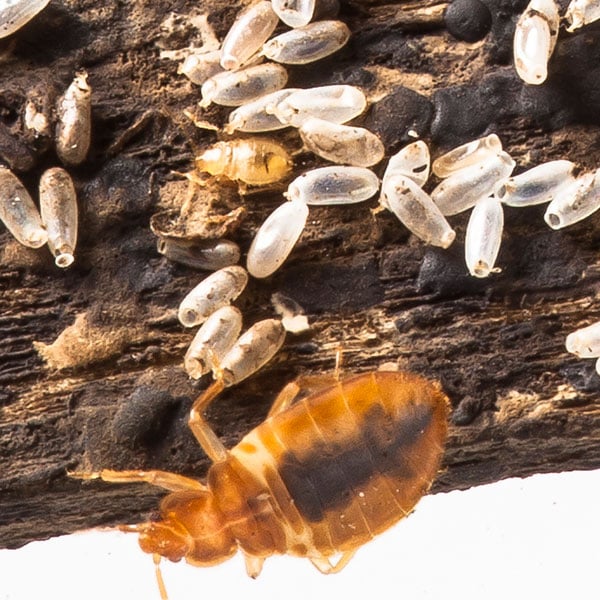
Bed Bug Can Lay Eggs Inside Computers
Yes. A female bed bug can lay up to 500 eggs in her lifetime, and they don’t need much space to hide them. Eggs are tiny — about the size of a grain of salt — and can be glued onto plastic, metal, or inside the seams of a keyboard.
That means a single pregnant female slipping into your laptop could be the start of a much bigger problem.
How to Prevent Bed Bugs From Infesting Electronics
Prevention is easier than treatment. Follow these tips to reduce your risk:
- Keep computers off the floor, especially near bedding or upholstered furniture
- Don’t use laptops on your bed if you suspect an infestation
- Store electronics in sealed containers when travelling
- Vacuum desks and cables regularly
- Inspect second-hand electronics before bringing them inside (use a flashlight to check ports and seams)
Pro tip:
If you’re buying used tech, place it in a large zip-lock plastic bag for a few days with a bed bug monitor trap inside. If bugs are present, they’ll be drawn out — and trapped.
How to Treat Bed Bugs in Computers (Without Damaging Them)
Let’s get this straight: don’t spray anything into your laptop or PC.
Instead, you need to treat the environment around your electronics, not the device itself.
Use the Isolation Method (Our Proven DIY System)
This organic method kills bed bugs instantly and provides long-term protection:
- Move the bed and electronics 30cm away from the wall
- Install Bed Leg Barriers filled with Diatomaceous Earth (DE) — a natural, APVMA-certified powder that dries out bed bugs over time
- Apply DE around desks, powerboards, and cords
- Steam the bed frame (not the mattress) to kill bugs instantly
- Use Mattress & Base Covers to lock bed bugs out — or in
- Avoid cleaning the powder for at least 6 months — the longer it stays, the longer it works
The magic is in the design: bed bugs are forced to cross the DE powder to reach their food source (you), and that’s when they die.
- Do not open your computer to add powder. The goal is to treat the routes they travel, not the hiding spot itself.
Should You Throw Away an Infested Computer?

Dont Throw Your Computer In The Bin
In most cases, no. That’s just a costly overreaction.
If you:
- Apply the Isolation Method around it,
- Store it in a sealed bag when not in use,
- And avoid moving it to other rooms…
…you’ll outlast the bugs. Once they walk through the DE, they’re finished.
Final Thoughts: Bed Bugs In Computers
Bed bugs in computers are gross, frustrating, and a little surreal. But with the right steps — and a smart treatment plan — you don’t need to panic or call in expensive pest control.
The key is to treat the whole room, isolate your electronics, and create a barrier that every bug will cross… and none will survive.
FAQs About Bed Bugs in Computers
- Do bed bugs destroy electronics?
No, they don’t chew or damage components, but they can block fans and cause overheating. - Can I use Diatomaceous Earth near my computer?
Yes — it’s safe to use around the computer, not inside. Focus on cable paths and desk legs. - Can bed bugs live inside a keyboard or gaming console?
Absolutely. Any device that stays near your bed and offers warmth and gaps can attract them.
Looking for a Safe, Organic DIY Treatment?
Watch our quick DIY Treatment Video to see how to treat your bed, protect your electronics, and eliminate bed bugs fast — without poisons or sprays.
Watch Our DIY Treatment Video For An Ensemble Bed
Watch Our DIY Treatment Video For A Bed with Slats
If you have enjoyed our blog, Bed Bugs In Computers, then you might like to read, Should You Stay Home If You Have Bed Bugs?
Sources: Bed Bugs In Computers
-
Terminix: Tips for When You Have Bed Bugs in Your Electronics
Terminix outlines which electronic devices are most at risk, particularly those near resting areas like alarm clocks and bedroom speakers. The article advises against applying typical bed bug treatments directly to electronics and suggests alternative methods to address infestations without damaging devices.

Tony pioneered a non-toxic, eco-friendly solution for bedbug infestations. His innovation won the ABC TV show “The New Inventors” in 2009. In 2012, he successfully registered Diatomaceous Earth for bedbug control in Australia.





Leave a Reply